When considering a new software solution, most businesses dive deep into features, integrations, and user experience. Yet, a staggering number often gloss over one of the most critical aspects: the underlying Cloud and SaaS Licensing Models. This oversight isn't just a minor detail; it's a direct path to wasted spend and diminished ROI, even as the global SaaS market is projected to skyrocket from $273.55 billion in 2023 to over $908 billion by 2030. Understanding these models isn't just for procurement teams; it's for anyone who wants to ensure their technology investments genuinely pay off.
Choosing the right licensing structure for your cloud-based tools can mean the difference between scaling effortlessly and being trapped in an expensive, inflexible contract. It's about empowering your business to grow without being blindsided by unexpected costs or limited capabilities.
At a Glance: Key Takeaways for Navigating SaaS Licensing
- Licensing is NOT Ownership: With SaaS, you're buying access and usage rights, not the software itself.
- Wasted Spend is Common: Many businesses pay for unused features, licenses, or capacity.
- Predictability vs. Flexibility: Different models offer trade-offs between predictable costs and usage-based flexibility.
- Growth Changes Needs: Your ideal licensing model can evolve as your business scales, requiring regular re-evaluation.
- Software License Management (SLM) is Crucial: Actively track usage to optimize costs and ensure compliance.
- Transparency is Key: Work with vendors who are upfront about their pricing and contract terms.
Beyond the Buzz: Why SaaS Licensing Demands Your Attention
The shift to Software-as-a-Service has been transformative, offering agility, reduced upfront costs, and continuous innovation. However, this convenience often comes with a complex web of pricing structures that can be deceptively simple on the surface. Businesses anticipate that SaaS deployments will continue to increase as a percentage of overall revenue, underscoring the urgency of mastering these financial nuances.
Unlike the old days of buying a software CD (remember those?) for a one-time fee, SaaS operates on a subscription model. This isn't just a different payment schedule; it's a fundamental change in how you interact with and pay for software.
SaaS vs. Perpetual: A Quick Distinction
Historically, software often came with a perpetual license, a one-time purchase granting you lifetime access to a specific software version. You "owned" the right to use that version indefinitely, though updates typically required separate purchases.
A SaaS license, by contrast, is a subscription-based agreement. You pay recurring fees—monthly or annually—for ongoing access to a cloud-hosted software. This typically includes continuous updates, maintenance, and support. You don't own the software; you rent the right to use it under specific terms. Think of it like streaming a movie versus buying a DVD.
What Does a SaaS License Actually Cover?
A SaaS license isn't just about giving you a login. It's a comprehensive agreement that outlines:
- Permitted Users/Devices: Who can access the software and from how many devices.
- Subscription Duration: The length of your agreement (e.g., month-to-month, annual, multi-year).
- Functional Capabilities: Which features and modules you're entitled to use.
- Service Levels (SLAs): Guaranteed uptime, performance, and support response times.
- Usage Volume: Limits on data, transactions, storage, or other metrics.
- Support & Training: What kind of assistance is included.
- Renewal Mechanisms: How your subscription automatically renews or needs to be actively extended.
- Penalties: Consequences for exceeding usage limits or violating terms.
- Data Rights & Security: Crucial details about data ownership, privacy, and protection.
Overlooking these details means entering a commitment blind.
The Foundation: Understanding Core SaaS Licensing Models
While variations abound, most SaaS licensing models fall into a few primary categories. Grasping these will equip you to make informed decisions.
1. Usage-Based Licensing (Pay-per-use)
Imagine paying for electricity: you only pay for what you consume. That's the essence of usage-based licensing, sometimes called "consumption-based" or "pay-per-use." Here, your bill is directly tied to your actual software usage, measured by metrics like data processed, number of transactions, API calls, storage consumed, or even time spent within the application.
Pros:
- Cost Aligns with Value: You only pay for what you use, making it highly efficient for fluctuating demands.
- Easily Scalable: Scale up or down without needing to renegotiate contracts or switch plans.
- No Large Upfront Fees: Start small and grow your spend as your usage grows.
Cons: - Unpredictable Price Spikes: Sudden surges in usage can lead to unexpectedly high bills.
- Difficult to Budget: Forecasting total costs can be challenging without historical usage data.
- No Volume Discounts: Often lacks the economies of scale seen in other models.
Example: A cloud storage provider that charges per GB stored and per GB transferred. Or an API service that charges per API call.
2. Flat-Rate Licensing
The simplest model, flat-rate licensing, involves paying a fixed subscription fee—typically monthly or annually—for full access to a software product. This fee remains constant regardless of how much you use the software or how many features you access (within the defined product scope).
Pros:
- Predictable Pricing: Budgeting is straightforward as costs are fixed.
- Access to Full Functionality: Often grants access to all features within the purchased product.
- Volume Discounts: Vendors may offer lower per-unit costs for longer commitments or larger user bases.
Cons: - Pay for Unused Capacity: If your usage is low, you might be paying for more than you need.
- Difficult to Scale: While usage within the flat rate is flexible, switching to a different tier for more features or users often requires contract modification.
Example: A project management tool that offers one price for its "Pro" version, regardless of how many projects you create or tasks you manage.
3. Tiered Licensing
Tiered licensing is an evolution of flat-rate, offering multiple pricing levels (e.g., Basic, Standard, Premium, Enterprise). Each tier typically includes a different set of features, service levels, usage limits, or user counts, with prices increasing accordingly. These tiers are often designed to cater to different organization sizes or operational needs.
Pros:
- Cost Levels Match Needs: You can select a tier that closely aligns with your specific feature and usage requirements.
- Upgrade Flexibility: As your business grows or needs evolve, you can move up to a higher tier.
- Cost Predictability: Within each tier, pricing is usually fixed, offering good budget control.
Cons: - Paying for Unused Features: It's common to pay for features in a higher tier that you rarely, if ever, use.
- Risk of Underestimating Needs: Choosing a lower tier to save costs might lead to feature limitations or higher per-unit costs if you frequently hit caps.
- Switching Tiers Can Be Complex: The process might involve new contracts, data migration, or setup adjustments.
Example: A CRM system with a "Starter" tier for small teams, a "Professional" tier with advanced sales features, and an "Enterprise" tier with custom integrations and dedicated support.
4. Per-User Licensing (Named User Licensing)
One of the most common models, per-user licensing, assigns a unique license to each individual user. Each subscription represents a "seat" that only the designated person can use to access the software.
Pros:
- Pay Only for Actual Users: You only incur costs for the individuals actively using the software.
- Flexibility to Add/Remove: Easily scale your licenses up or down as your team grows or shrinks.
- Easier Cost Control: Straightforward to calculate costs based on headcount.
Cons: - Costs Increase Linearly with Users: Every new user adds directly to your overhead.
- Variable Month-to-Month Costs: Can make budgeting challenging if headcount frequently changes.
- Administrative Overhead: Requires tracking individual logins, usage, and ensuring licenses are reallocated when employees leave.
Example: Most productivity suites (e.g., Microsoft 365, Google Workspace) charge a per-user, per-month fee.
5. Per-Feature Licensing
In this model, you pay for access to specific functionalities or modules within a larger software product. You might start with a base product and then add on specific features à la carte, or unlock them with higher payments.
Pros:
- Pay Only for Needed Features: Prevents wasted spend on functionalities your team doesn't use.
- Flexibility to Enable/Disable: Quickly add or remove features as project needs change.
- Scalability: Acquire a small subset of features initially and expand as required.
Cons: - Variation in Total Cost: Forecasting can be difficult if new features are frequently added or required.
- Requires Training & Enablement: Teams need to be trained on new features as they are enabled, which can incur internal costs.
- Feature Lock-in: Essential features might be locked behind higher paywalls, forcing upgrades.
Example: A marketing automation platform where you pay a base fee, then add separate charges for email marketing, landing page builders, or advanced analytics modules.
6. Freemium Licensing
The freemium model offers a basic version of the software for free, often with limited features, users, or usage capacity. Users can then upgrade to a paid "premium" version to unlock advanced functionalities, higher limits, or improved support.
Pros:
- "Try Before Buying": Allows potential customers to experience the software firsthand before committing financially.
- No Strict Approvals: The free version eliminates procurement hurdles, enabling rapid adoption.
- Broad User Base: Can attract a large number of users, some of whom will convert to paying customers.
Cons: - Limited Feature Scope: The free version is often intentionally restrictive, which might frustrate power users.
- Constant Re-assessment: Users may need to frequently re-evaluate if the free version still meets their needs or if a paid upgrade is justified.
- Advanced Integrations: Critical functionalities like API access or robust third-party integrations typically require a paid tier.
Example: Cloud storage services (e.g., Dropbox, Google Drive) offer a limited amount of free storage, with options to upgrade for more space and features.
Beyond the Basics: Advanced & Hybrid Licensing Nuances
The core models often blend and adapt, especially as businesses grow and technology evolves. Understanding these variations can further refine your approach to Understanding subscriber access licenses and managing your overall software ecosystem.
Enterprise Licensing
For large organizations, generic tiered or per-user models might not suffice. Enterprise licensing involves highly customized agreements tailored to the specific needs of a big company. These often include significant volume discounts, custom service level agreements (SLAs), dedicated support teams, specific compliance requirements, and specialized integrations. Negotiations for enterprise licenses can be complex and lengthy, often involving deep dives into predicted usage and long-term strategic goals.
Concurrent/Floating User Licensing
Rather than licensing each named individual, concurrent or floating user licensing permits a specified number of users to access the software simultaneously. If your organization has many employees who only use a specific application sporadically, this can be incredibly cost-effective. For instance, if you have 100 employees but only expect 20 to use a specialized design tool at any given moment, you'd purchase 20 concurrent licenses instead of 100 individual ones. This model is ideal for applications with peak usage patterns or shared resources.
User-Based Licensing (as a broader category)
While "Per-user" (named user) is specific, "User-Based Licensing" can be a broader term encompassing different ways users are counted, including:
- Named Users: Each person has a unique, dedicated license.
- Active Users: Charges only for users who log in or perform specific actions within a billing period. This reduces waste compared to named users if many users are inactive.
- Role-Based Users: Pricing varies depending on the user's role (e.g., administrator, editor, viewer), reflecting different levels of access and functionality.
Elastic Access and Token Licensing
These models represent more sophisticated usage-based approaches, offering granular control and flexibility:
- Elastic Access: A hybrid model combining a base subscription (for a certain level of usage) with a pay-per-use component for additional capacity. Customers might purchase extra "credits" or "tokens" to handle spikes in demand, with real-time usage data helping them manage consumption.
- Token Licensing: Customers purchase a pool of "tokens" upfront. These tokens are then redeemed for access to specific features, applications, or units of usage. Tokens can also function as a form of floating license, allowing a certain number of concurrent users to consume tokens from the shared pool. This offers flexibility in how different parts of an organization consume software resources.
Metered & Consumption-Based Licensing Variations
These are refined forms of usage-based models, focusing on specific metrics:
- Metered Licensing: Charges based on precise, measured usage metrics, such as CPU hours, data transfers, messages sent, or number of times a specific feature is invoked. It's highly advantageous for unpredictable workloads where you want to pay exactly for what you use.
- Consumption-Based Licensing: Similar to metered, but often involves a commitment to consume a certain amount of service from a prepaid credit. If usage exceeds the commitment, additional charges apply. It's common in cloud infrastructure services (IaaS/PaaS) but increasingly seen in SaaS.
- Usage Caps and Overages: Many models include a base level of service with a "cap" on usage (e.g., 1000 transactions per month). If you exceed this cap, additional fees (overages) are applied. This provides some cost predictability while allowing flexibility for occasional spikes.
Outcome-Based Licensing
This is perhaps the most advanced and value-driven model. With outcome-based licensing, customers pay when pre-agreed business outcomes are met. For example, a software vendor might charge a percentage of the revenue growth achieved through their sales enablement platform, or a fee based on the efficiency improvements realized by their automation software. This model deeply aligns the vendor's success with the customer's, fostering long-term strategic partnerships.
Choosing Your North Star: Key Factors in Licensing Decisions
Selecting the right SaaS licensing model isn't a one-size-fits-all endeavor. It depends heavily on several critical factors:
1. Your Business Objectives and Growth Strategy
- Scaling Rapidly? Models like usage-based or flexible tiered systems support quick expansion.
- Prioritizing Predictability? Flat-rate or stable tiered models offer consistent budgeting.
- Cost Control paramount? Per-user or per-feature models help optimize spend by paying only for what's needed.
- Pursuing AI Monetization? Many AI-driven SaaS solutions lean towards consumption-based models (e.g., per API call, per inference) due to variable compute costs.
2. Understanding Customer Needs and Usage Patterns
- Predictable Usage: If your team's software use is consistent, flat-rate or named-user might be best.
- Fluctuating Usage: If usage varies wildly (e.g., seasonal, project-based), usage-based or concurrent user models prevent paying for idle licenses.
- Feature-Specific Needs: Per-feature models are great for teams that only need a subset of a product's capabilities.
- Trial & Adoption: Freemium models are excellent for widespread adoption and "try before you buy" scenarios.
3. Pricing Strategy and Target Market
Vendors craft their models to attract specific customer segments. A startup might prefer freemium or low-cost tiered options, while an enterprise demands custom agreements and robust SLAs. Before negotiating, understand the vendor's typical target customer and how their models align.
4. Software License Management (SLM) Capabilities
The practice of Software License Management (SLM) is crucial. It involves monitoring and controlling your software licenses to ensure compliance and avoid unnecessary costs. Overlooking SLM can lead to:
- Unused Licenses: Paying for "ghost" users or features.
- Auto-Renewals: Subscriptions renewing automatically when no longer needed.
- Compliance Risks: Falling out of line with vendor terms, potentially leading to audits and penalties.
- Negative ROI: Your software investment costs more than the value it delivers.
Robust SLM ensures licenses are acquired, deployed, and used efficiently. This means having tools or processes to track who is using what, how often, and to what extent.
5. Vendor Transparency
Deal with transparent vendors. Some providers intentionally keep pricing hidden, forcing you into lengthy sales conversations. While complex enterprise deals often require bespoke quotes, basic pricing structures should be accessible, giving you a baseline for comparison.
Practical Steps: Navigating the Licensing Labyrinth
Don't just pick a model; strategize around it.
Step 1: Audit Your Current Needs and Future Projections
- Current Usage: Analyze how your team actually uses similar tools. What features are essential? What are "nice-to-haves"?
- User Count: How many users today? How many do you project in 1, 3, 5 years?
- Usage Volume: Estimate data, transaction, or compute needs if considering usage-based models.
- Feature Requirements: List must-have vs. optional features.
- Support Needs: What level of support is critical (e.g., 24/7, dedicated account manager)?
- Integration Needs: How will this SaaS connect with your existing tech stack?
Step 2: Compare Models with Your Usage Patterns
Armed with your audit, map your needs to the pros and cons of each licensing model.
- If your team has stable headcount and predictable usage, flat-rate or named-user might offer the best value and predictability.
- If usage is highly variable or project-based, explore concurrent, active user, or usage-based models.
- If you need granular control over features, per-feature licensing could minimize waste.
Step 3: Don't Shy Away from Negotiation
Even with published pricing, there's often room for negotiation, especially for larger deals or longer commitments.
- Ask for volume discounts: If you're committing to many users or a long contract.
- Inquire about feature bundles: Can they customize a tier that perfectly fits your needs?
- Clarify renewal terms: Understand auto-renewal clauses and options to adjust before renewal.
- Discuss exit strategies: What happens to your data if you decide to leave? What are the penalties for early termination?
- Bring in Experts: If your internal team lacks the bandwidth or expertise for complex negotiations and software management, consider engaging SaaS buying experts. They can provide insights into market benchmarks, usage pattern analysis, and cost optimization strategies.
Step 4: Implement Robust Software License Management
Once you've purchased a license, the work isn't over.
- Regularly Review Usage: Are all purchased licenses being used? Are certain features consistently ignored?
- Automate Where Possible: Use SLM tools to track usage, monitor compliance, and alert you to potential overages or under-utilization.
- Reallocate Licenses: When an employee leaves or changes roles, reassign their license to a new user to avoid paying for an idle seat.
- Forecast and Adjust: Use historical data to forecast future needs and adjust your subscriptions accordingly before renewal dates.
Hybrid Deployments & the Future
The world isn't purely cloud. Many organizations operate hybrid deployments—a mix of on-premise and cloud solutions. Licensing models for hybrid environments can be even more intricate, often requiring careful consideration of how software is deployed, accessed, and secured across different infrastructures. As AI capabilities are increasingly integrated into SaaS products, AI monetization will also lean heavily on usage-based models (e.g., per query, per processing unit), making precise usage tracking and budgeting even more vital.
Addressing Common Questions About SaaS Licensing
Navigating the nuances of software agreements often brings up specific queries. Here are answers to some frequently asked questions:
Site License vs. Enterprise License: What's the Difference?
A site license generally grants permission to use software at a single, specific physical location (e.g., one office building) regardless of the number of users within that site. An enterprise license, on the other hand, covers software use across an entire organization, encompassing multiple locations, subsidiaries, and typically a broader, often unlimited, user count or a very large, negotiated number. Enterprise licenses are far more comprehensive and flexible for large, distributed companies.
What are the Four Main Types of Software Licenses?
While SaaS is a delivery model, software licenses broadly categorize usage rights:
- Proprietary Licenses: The most common for commercial software. You purchase the right to use the software under strict terms; you cannot modify, redistribute, or reverse-engineer it.
- Open-Source Licenses: Grant users the freedom to use, study, change, and distribute the software and its source code. Examples include GPL, MIT, Apache licenses.
- Freeware Licenses: Allow free use of software without charge, but typically without access to the source code or rights to modify/redistribute it commercially.
- Shareware Licenses: Offer a trial period (e.g., 30 days) or limited functionality for free, after which users are expected to pay a fee to continue using the full version.
Is Amazon Considered a SaaS Company?
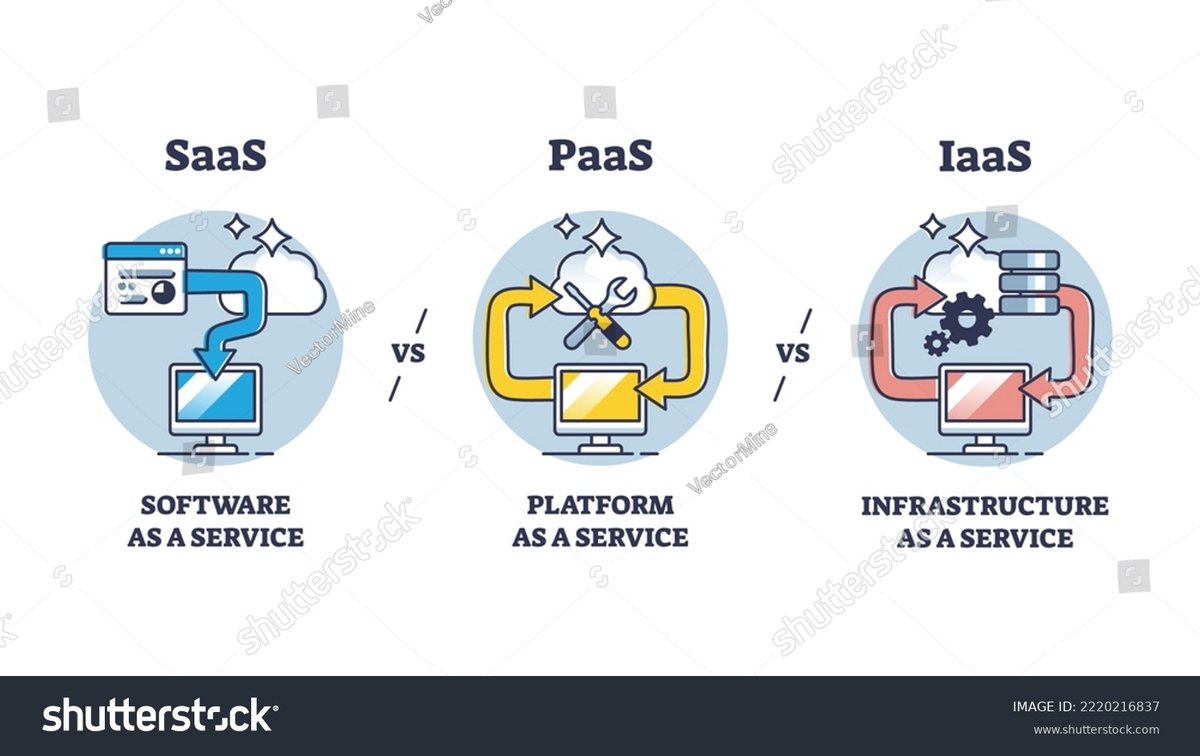
Amazon, primarily through its Amazon Web Services (AWS) division, is not primarily a SaaS company. AWS is a leading provider of Infrastructure-as-a-Service (IaaS) and Platform-as-a-Service (PaaS), offering foundational cloud computing resources (compute, storage, databases) and development platforms. However, Amazon does offer specific SaaS products, such as Amazon Chime (video conferencing) and Amazon WorkMail (email service). So, while not its main identity, Amazon certainly participates in the SaaS market.
What's the Difference Between Licensing and Owning Software?
This is a critical distinction. Licensing software grants you the right to use the software under specific terms and conditions set by the vendor. You never actually own the software itself; you're essentially renting it. Most commercial software, including all SaaS, is licensed. Owning software would imply full intellectual property rights, allowing you to modify, redistribute, resell, or otherwise control the software's destiny without vendor restrictions. This is extremely rare for end-users and typically only applies to the software's original creators or those who purchase outright intellectual property rights.
How Do I Choose the Right SaaS Licensing Model for My Business?
The "right" model is highly situational. It depends on:
- Your Target Market: Are you a small business, a large enterprise, or somewhere in between?
- Your Pricing Strategy: Do you want to optimize for volume, value, or recurring revenue?
- Your Business Objectives: Is it growth, cost predictability, or maximum flexibility?
- Customer Needs: What do your customers value most in terms of access, features, and cost?
- Usage Patterns: Is your usage consistent, variable, or spiky?
- Long-term Goals: Are you planning for significant scale, AI integration, or hybrid deployments?
Start by defining these internal factors, then evaluate how each licensing model supports (or hinders) them. Don't be afraid to ask vendors for custom quotes or to combine elements from different models if it genuinely suits your needs.
Your Path Forward: Mastering Your SaaS Investment
The era of SaaS is defined by access, agility, and continuous innovation. But to truly harness its power, you must move beyond the allure of features and truly understand the financial engine that drives it: the licensing models.
By familiarizing yourself with these subscription-based structures, you empower your organization to:
- Avoid wasted spend: Stop paying for unused features or idle user seats.
- Ensure predictable budgeting: Gain clarity over your monthly and annual software expenditures.
- Scale intelligently: Choose models that grow with your business, not against it.
- Maximize ROI: Ensure every dollar spent on SaaS delivers tangible value.
Remember, software isn't just a cost; it's an investment in your company's future. Approach SaaS licensing with the same strategic rigor you apply to any critical business decision, and you'll build a resilient, cost-effective, and powerful technology stack.